How to login into the TRACES?
CA Anand Singh | 08-Nov-2022
How to login into the TRACES?
TRACES (TDS Reconciliation Analysis and Correction Enabling System) is an integrated platform for providing various services to TDS deductors. TRACES enables deductors / collectors to view status of challans and TDS-TCS credit for a PAN. They can also download Conso File, Form 16 / 16A and Justification Report after logging in to their account on TRACES.
Steps to login into the TRACES
Step 1: Go to the TRACES website by clicking on this link: http://contents.tdscpc.gov.in/en/home.html. Click the "Continue" button appearing on Pop up screen.
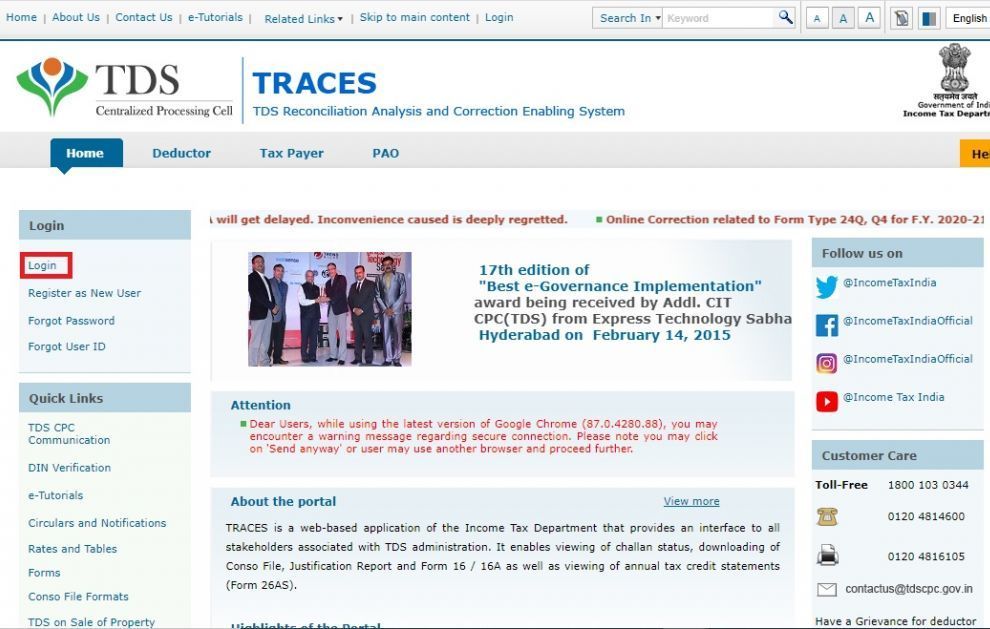
Step 2: On the homepage, click on the ‘Login‘ link at the top of the left navigation bar.
Step 3: On the Login page, enter valid login credentials i.e Username, Password, TAN of deductor and click on the "Login" button.
